Monitoring
What role does monitoring play?
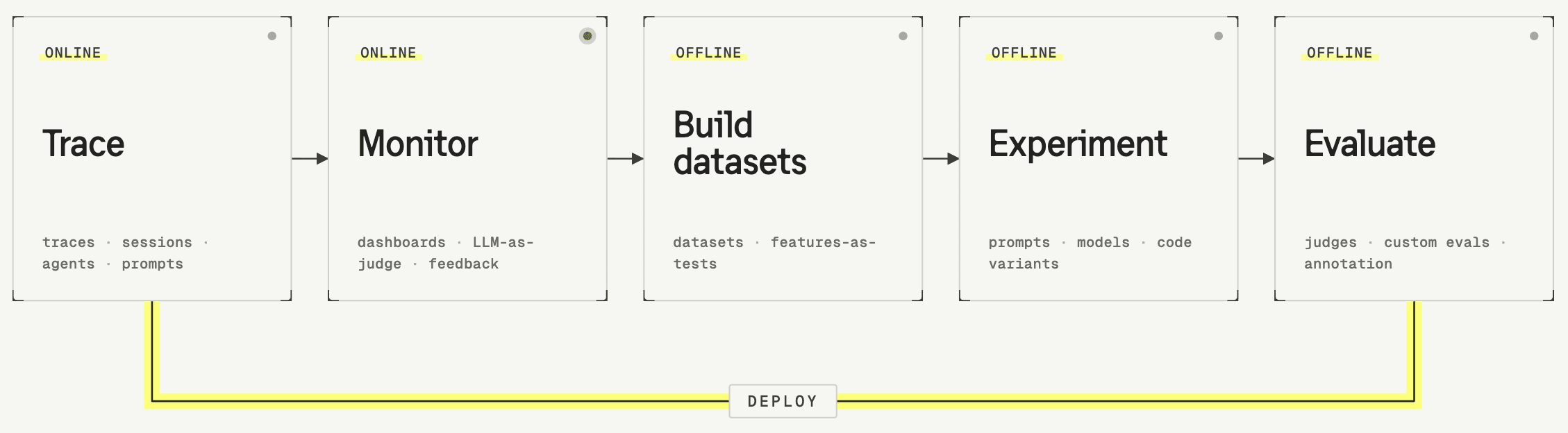
Tracing provides a complete record of what your LLM app is doing. Every request, every model call, every tool use is recorded. Monitoring is how you make sense of this data. It gives you two things: a continuous view of how your system is performing over time, and a way to surface the specific traces worth looking at. Together, they shift you from having data to actually understanding your system as a foundation for evolving it over time.
The two things monitoring does
It helps to separate monitoring into two distinct activities, because they answer different questions.
Aggregate Metrics tracking tells you whether things are getting better or worse over time. Cost, latency, quality scores — these become trends you can watch and reason about. Did that prompt change last Tuesday improve anything? Is quality drifting as usage grows?
Signal detection tells you where to look right now. It surfaces individual traces that are worth investigating — an error, a cluster of retries, a user abandoning mid-conversation. The signal is only useful because it's attached to the specific trace that triggered it. That trace is your starting point for understanding what went wrong.
Where do metrics and signals come from?
Both aggregate metrics and signal detection depend on fields attached to observations. A lot of what you need is already there once you instrument properly: latency, token-derived cost, model and route metadata, tool outcomes, and errors typically flow from your client and provider APIs without extra wiring.
Anything beyond that, like quality scores, thumbs up or down, human annotation, or LLM-as-a-judge scores, you attach by annotating traces manually or running automated evaluators on them. That attached data can be aggregated into charts and baselines, or set as signals so individual traces surface when something crosses a line you care about.
There are two types of automated evaluators to attach scores to traces:
- LLM-as-a-judge (for quality signals or behavioral patterns like user disagreement)
- Code-based evaluators (for precise checks like whether the response contains a certain word or exceeds a length limit).
More on both can be found in the Evaluate section.
How to get started
-
Start by looking at your data manually. Read through traces and notice what kinds of things keep appearing. You can't set up useful monitoring before you know what you're looking for.
-
Use error analysis to surface what's worth tracking. Error analysis gives you a structured way to find patterns across your traces, the kinds of recurring issues worth turning into automated evaluators you can run continuously (Learn more here: TODO insert link)
-
Think about how your specific application shows failure. In a customer support use case, a user disagreeing with a response is a strong signal. In process automation, cases where a user had to correct what the LLM produced tell you something went wrong. Application-specific signals like these are often more actionable than generic quality scores.
-
Treat it as an iterative process. A working monitoring setup isn't something you configure once and leave. Usage patterns shift, models get updated, new failure modes emerge. Keep refining your setup so you can cut through the noise and stay focused on what actually matters.
What comes next
When monitoring surfaces something worth investigating, you have a few options: fix it directly if the cause is obvious, capture it in a dataset if it looks like a pattern, or run a structured evaluation if you suspect something systemic. Which path you take depends on how confident you are about the cause.
- Error analysis: how to look at traces in detail
- Datasets: capturing production traces for evaluation
- Experiments: testing whether a fix actually worked